Ορισμός
Τι είναι το EZCAD;
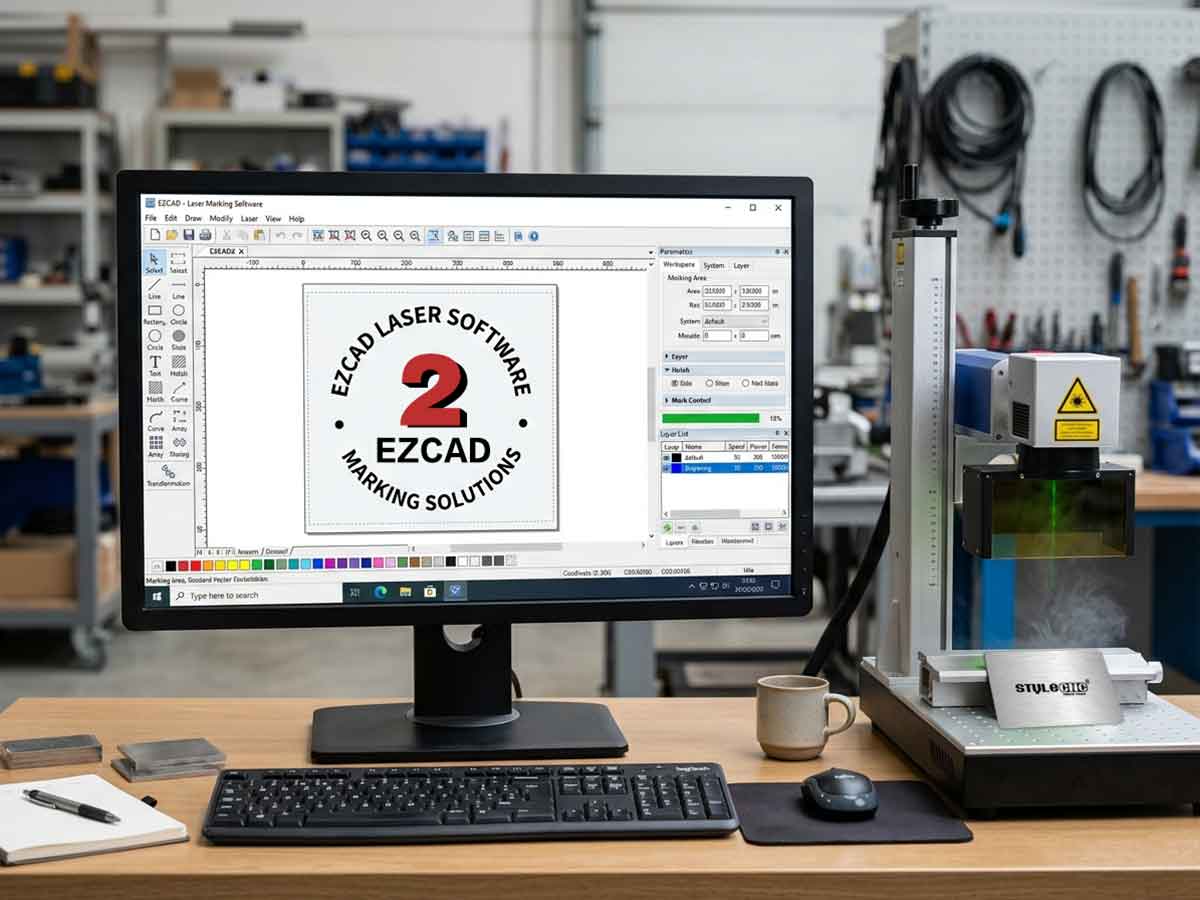
Το EZCAD είναι ένα έξυπνο λογισμικό για σύστημα σήμανσης λέιζερ, το οποίο χρησιμοποιείται σε λειτουργικό σύστημα 32 bit ή 64 bit των Windows XP, Windows 7, Windows 8 και Windows 10. Το EZCAD θα οδηγήσει την πλακέτα ελέγχου USB για τη μηχανή σήμανσης λέιζερ για να επισημάνει κείμενο, μοτίβα και φωτογραφίες στην επιφάνεια του αντικειμένου.
Χαρακτηριστικά
1. Οι χρήστες μπορούν να σχεδιάσουν τα γραφικά τους ελεύθερα.
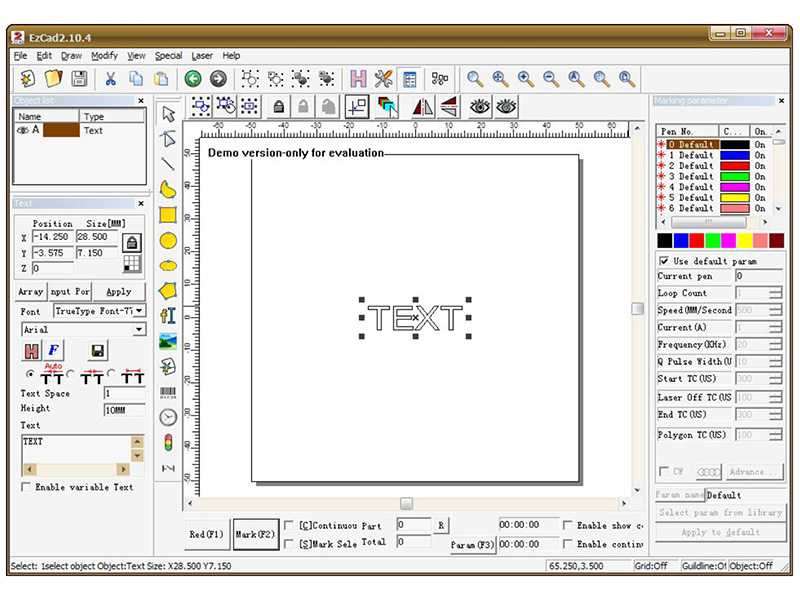
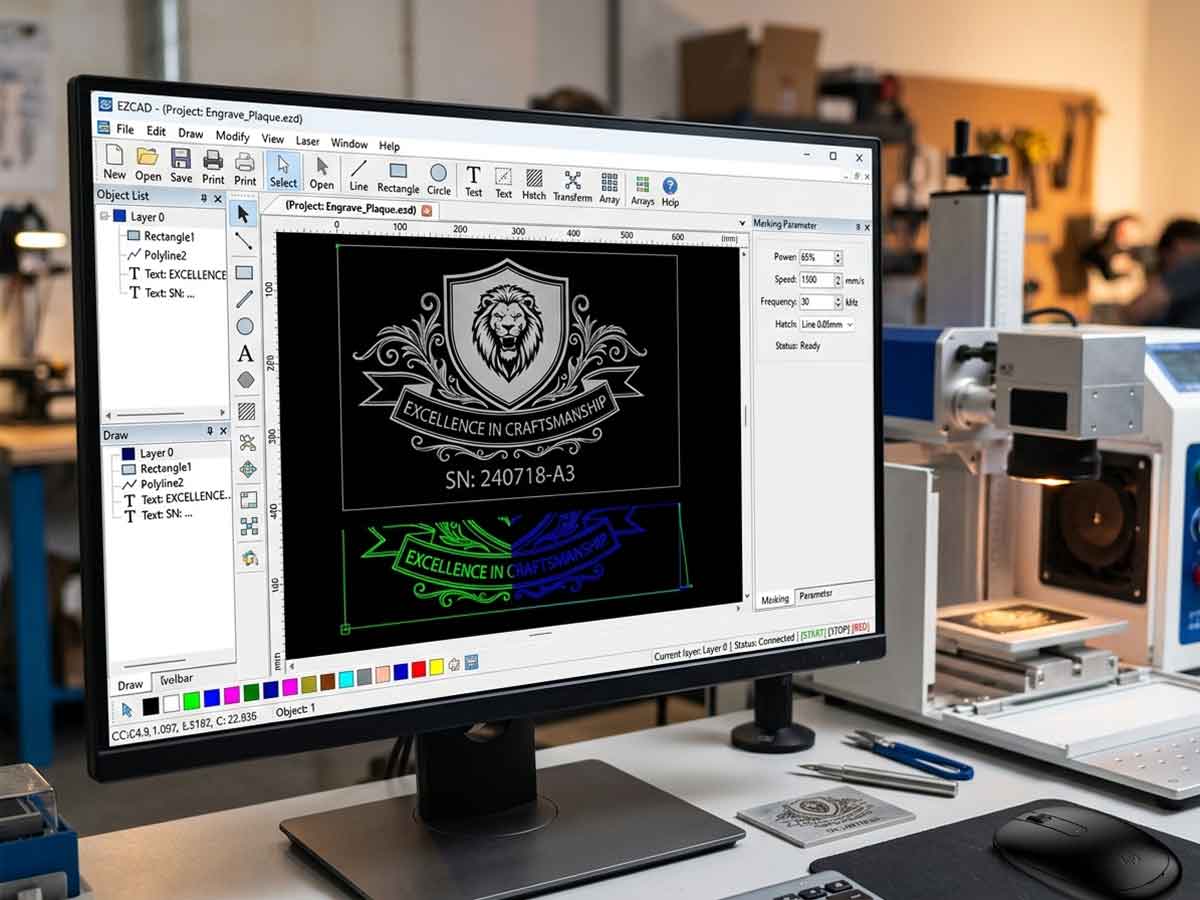
2. Υποστηρίζονται διάφοροι τύποι γραμματοσειρών. Όπως TrueType, SHX, JSF (Γραμματοσειρά μονής γραμμής που ορίζεται από το EZCAD), DMF (Γραμματοσειρά Dot Matrix), Μονοδιάστατος γραμμωτός κώδικας, Δισδιάστατος γραμμωτός κώδικας, και ούτω καθεξής).
3. Ευέλικτο μεταβλητό κείμενο: αλλάζει το κείμενο σε πραγματικό χρόνο κατά την επεξεργασία με λέιζερ. Υποστηρίζεται το φύλλο δεδομένων του Excel.
4. Μπορεί μέσω της σειριακής θύρας να κατευθύνει δεδομένα κειμένου ανάγνωσης.
5. Μπορεί μέσω του δικτύου απευθείας ανάγνωση δεδομένων κειμένου.
6. Η ισχυρή λειτουργία επεξεργασίας κόμβου κάνει την τροποποίηση της καμπύλης πιο εύκολη.
7. Το λογισμικό μπορεί να υποστηρίξει 265 «μολύβι», τα οποία χρησιμοποιούνται για τη σχεδίαση γραφικών και μπορούν να ρυθμιστούν διαφορετικές παραμέτρους επεξεργασίας.
8. Υποστηρίζονται κοινοί τύποι εικόνων. (bmp, jpg, gif, tga, png, tif, κ.λπ.)
9. Υποστηρίζονται κοινές διανυσματικές εικόνες (ai, dxf, dst, plt, κ.λπ.).
10. Επεξεργασία εικόνας (Κλίμακα του γκρι, Λευκός / Μαύρος Μετασχηματισμοί).
11. Ισχυρές λειτουργίες εκκόλαψης, όπως υποστήριξη στρογγυλής καταπακτής.
12. Πιο βολικές λειτουργίες IO και πιο εύκολη εναρμόνιση του βοηθητικού εξοπλισμού.
13. Υποστηρίζει τη δυναμική εστίαση (σύστημα επεξεργασίας 3 αξόνων).
14. Υποστηρίζει απευθείας το λέιζερ ινών SPI G3 και το νεότερο λέιζερ ινών IPG_YLP και IPG_YLPM.
15. Ένα ανοιχτό σύστημα υποστήριξης γλώσσας διευκολύνει την εκτέλεση του λογισμικού σε διάφορες γλώσσες.
Εγκατάσταση
Πώς να εγκαταστήσετε το λογισμικό EZCAD για τη μηχανή σήμανσης με λέιζερ;
Το λογισμικό EZCAD μπορεί να τρέξει σε φορητό υπολογιστή ή υπολογιστή με CPU 900 MHz και μνήμη RAM τουλάχιστον 256 MB. Σε γενικές γραμμές, προτείνουμε τον ταχύτερο διαθέσιμο φορητό υπολογιστή ή υπολογιστή. Το EZCAD αναπτύχθηκε στα Microsoft Windows XP και θα τρέχει σε Windows XP, Windows 7, Windows 8 και Windows10.
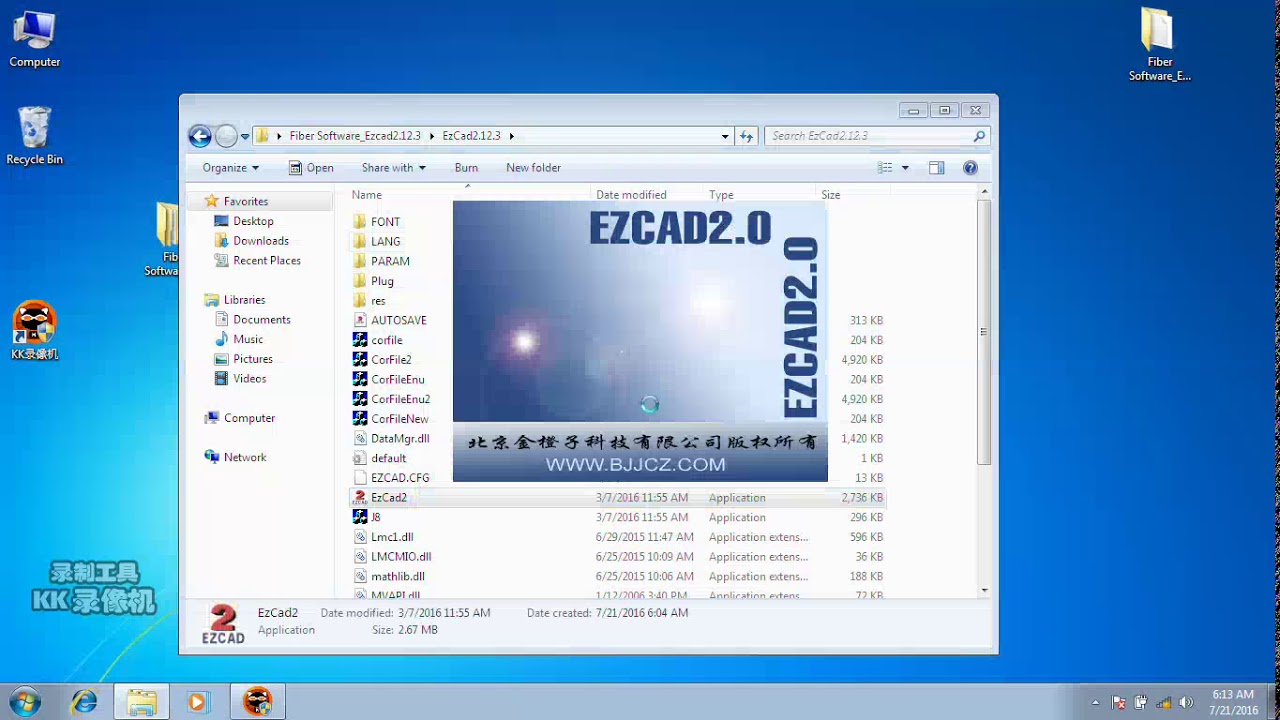
Η εγκατάσταση του EZCAD είναι πολύ εύκολη. Απλώς πρέπει να αντιγράψετε τον φάκελο EZCAD που βρίσκεται στο CD εγκατάστασης στον σκληρό δίσκο και, στη συνέχεια, να κάνετε διπλό κλικ στο αρχείο EZCAD.exe που βρίσκεται στον κατάλογο του EZCAD για να εκτελέσετε το λογισμικό.
Το EZCAD απαιτεί μερικές φορές μια συσκευή ασφαλείας λογισμικού. Αυτή η συσκευή συνδέεται στη θύρα USB του υπολογιστή. Εάν δεν υπάρχει dongle ή το dongle δεν εγκατασταθεί σωστά, θα εμφανιστεί μια προειδοποίηση και το λογισμικό θα λειτουργεί σε κατάσταση επίδειξης. Σε κατάσταση επίδειξης, μπορούμε να αξιολογήσουμε το λογισμικό, αλλά δεν μπορούμε να αποθηκεύσουμε αρχεία και δεν μπορούμε να ελέγξουμε τη μηχανή σήμανσης λέιζερ.
Βήμα 1. Αντιγράψτε τα περιεχόμενα της μονάδας USB, του φακέλου λογισμικού EZCAD στον υπολογιστή σας. Σημειώστε τα πρόσθετα αρχεία και φακέλους εντός του φακέλου EZCAD.
Βήμα 2. Βεβαιωθείτε ότι το καλώδιο USB είναι συνδεδεμένο από το πίσω μέρος της μονάδας ελέγχου λέιζερ στο "My Documents" του υπολογιστή σας και ότι το κλειδί λειτουργίας λέιζερ είναι ενεργοποιημένο.
Βήμα 3. Με το ποντίκι, κάντε αριστερό κλικ στο εικονίδιο έναρξης των παραθύρων και αριστερό κλικ στις συσκευές και τους εκτυπωτές. Θα πρέπει να δείτε και μη καθορισμένη συσκευή, USBLMCV2 με ένα κίτρινο κουμπί προειδοποίησης.
Βήμα 4. Κάντε δεξί κλικ στο USBLMCV2 και επιλέξτε ιδιότητες. Στην καρτέλα υλικού, επιλέξτε πίνακα ελέγχου σήμανσης λέιζερ, κάντε κλικ στις ιδιότητες, επιλέξτε την καρτέλα προγραμμάτων οδήγησης. Κάντε κλικ στην ενημέρωση προγράμματος οδήγησης και επιλέξτε μη αυτόματη αναζήτηση. Μεταβείτε στην ενότητα Τα έγγραφά μου > EZCAD > Προγράμματα οδήγησης. Επιλέξτε είτε το φάκελο 32 ή 64 bit που ταιριάζει στον υπολογιστή σας. Το σύστημά σας θα πρέπει να απαντήσει ότι το πρόγραμμα οδήγησης έχει ενημερωθεί με επιτυχία.
Σημείωση: Μπορείτε να μάθετε αυτές τις πληροφορίες σχετικά με τον υπολογιστή σας μεταβαίνοντας στο Έναρξη > Πίνακας Ελέγχου > Σύστημα.
Βήμα 5. Στη συνέχεια, κάντε μια συντόμευση στο πρόγραμμα EZCAD ως εξής:
Ανοίξτε το φάκελο EZCAD. Στο φάκελο EZCAD θα πρέπει να δείτε ένα αρχείο EZCAD. Κάντε δεξί κλικ στο αρχείο της αίτησης EZCAD και επιλέξτε αντιγραφή. Κάντε δεξί κλικ στην επιφάνεια εργασίας σας και επιλέξτε επικόλληση συντόμευσης. Στη συνέχεια, μπορείτε να χρησιμοποιήσετε τη συντόμευση για να ανοίξετε το λογισμικό και να ξεκινήσετε τη δημιουργία δημιουργικών και κερδοφόρων αντικειμένων με λέιζερ.
Εγχειρίδιο χρήστη (PDF)
Αυτό είναι ένα εύκολο στην εφαρμογή εγχειρίδιο χρήστη φιλικό προς τους αρχάριους σχετικά με τον τρόπο χρήσης του λογισμικού EZCAD για δείκτη λέιζερ βήμα προς βήμα.
Εγχειρίδιο χρήσης λογισμικού EZCAD για συστήματα σήμανσης λέιζερ
Κατανόηση των παραμέτρων EZCAD για καλύτερα αποτελέσματα βαθμολόγησης
Οι παράμετροι EZCAD ελέγχουν τον τρόπο με τον οποίο το λέιζερ αλληλεπιδρά με κάθε υλικό και ο σωστός συνδυασμός ταχύτητας, ισχύος και συχνότητας διαχωρίζει ένα καθαρό, επαναλήψιμο σημάδι από ένα καμένο. Η τελειοποίηση 3 βασικών ρυθμίσεων συν μερικές προσαρμογές ειδικά για το υλικό ξεκλειδώνει συνεπή αποτελέσματα σε ανοξείδωτο χάλυβα, αλουμίνιο, πλαστικά και επικαλυμμένες επιφάνειες.
Βασικές παράμετροι: Ταχύτητα, Ισχύς και Συχνότητα
Ο πίνακας Mark-Parameter στο EZCAD ελέγχει σχεδόν κάθε ορατό αποτέλεσμα στο τεμάχιο εργασίας σας. Είτε εκτελείτε ένα μηχανή σήμανσης λέιζερ ινών, έναν CO2 δείκτης λέιζερ, Ή ένα Σύστημα σήμανσης με λέιζερ UV, αυτές οι 3 τιμές διαμορφώνουν κάθε αποτέλεσμα:
✓ Ταχύτητα (mm/s): πόσο γρήγορα κινεί η κεφαλή του γαλβόμετρου τη δοκό. Η υψηλότερη ταχύτητα δίνει πιο φωτεινά σημάδια, ενώ η χαμηλότερη ταχύτητα βαθαίνει τη χάραξη.
✓ Ισχύς (%): το ποσοστό της συνολικής εξόδου λέιζερ που εφαρμόζεται. Σε συνδυασμό με τη συχνότητα, ελέγχει την είσοδο θερμότητας και την αντίθεση.
✓ Συχνότητα (kHz): ο ρυθμός παλμών. Η χαμηλή συχνότητα παρέχει συγκεντρωμένους, βαθιούς παλμούς για χάραξη μετάλλου. Η υψηλή συχνότητα παράγει πιο λεία, πιο ανοιχτόχρωμα σημάδια στην επιφάνεια για πλαστικά και ανοδιωμένα φινιρίσματα.
Πριν από την προσαρμογή, καταργήστε την επιλογή Χρήση προεπιλεγμένης παραμέτρου στο δεξιό πλαίσιο και, στη συνέχεια, κάντε κλικ στην επιλογή Εφαρμογή στις προεπιλογές για να κλειδώσετε τις αλλαγές μεταξύ των περιόδων λειτουργίας. Εκτελέστε πρώτα ένα μικρό δοκιμαστικό πλέγμα σε υλικό απόρριψης — η υγρασία και το φινίρισμα της επιφάνειας μετατοπίζουν το βέλτιστο εύρος.
Συνιστώμενες ρυθμίσεις για κοινά υλικά
Χρησιμοποιήστε τον παρακάτω πίνακα ως σημείο εκκίνησης για ένα 30W πηγή οπτικών ινών, στη συνέχεια, βελτιώστε μέσω δοκιμών. Για τα πλήρη βήματα εγκατάστασης, ανατρέξτε στην ενότητα Οδηγός εγκατάστασης συστήματος σήμανσης λέιζερ.
| Υλικα | Ταχύτητα | Power | Συχνότητα | Μετρήσεις |
|---|---|---|---|---|
| Ανοξείδωτο ατσάλι (μαύρο) | 200 mm / s | 70% | 20 kHz | Πολλαπλό πέρασμα για βάθος |
| ανοδιωμένο αλουμίνιο | 1500 mm / s | 30% | 60 kHz | Ελαφρύ σημάδι επιφάνειας |
| Πλαστικό ABS | 1000 mm / s | 30% | 25 kHz | Μονό πέρασμα |
| Ορείχαλκος | 400 mm / s | 80% | 30 kHz | Ελαφριά αποεστίαση |
| Επικαλυμμένο μέταλλο | 800 mm / s | 50% | 40 kHz | Το μονό πέρασμα λειτουργεί καλά |
Για εναλλακτικές λύσεις με άδεια χρήσης και δωρεάν, περιηγηθείτε στη συλλογή μας καλύτερο λογισμικό χάραξης λέιζερ.
Συχνές ερωτήσεις
Είναι το EZCAD συμβατό με τα Windows 11;
Το EZCAD2 εκτελείται από Windows XP έως Windows 10. Το EZCAD3 υποστηρίζει Windows 10 και 11 με προγράμματα οδήγησης 64-bit, αν και ίσως χρειαστεί να απενεργοποιήσετε την επιβολή υπογραφής προγράμματος οδήγησης κατά την πρώτη εγκατάσταση. Αντιστοιχίστε την έκδοση με την πλακέτα ελέγχου λέιζερ.
Ποιες μορφές αρχείων δέχεται το EZCAD;
Το EZCAD εισάγει αρχεία AI, DXF, PLT, DST, BMP, JPG, GIF, PNG, TIF και TGA. Η AI και η DXF παράγουν τα πιο καθαρά διανυσματικά αποτελέσματα, ενώ οι εικόνες raster θα πρέπει να έχουν ανάλυση τουλάχιστον 600 DPI για ευκρινή χάραξη.
Γιατί η βαθμολογία μου επιβραδύνεται απροσδόκητα;
Οι προεπιλεγμένες παράμετροι αντικαθιστούν τις προσαρμοσμένες τιμές όταν η επιλογή Χρήση προεπιλεγμένης παραμέτρου παραμένει ενεργοποιημένη. Αποεπιλέξτε το πλαίσιο στο δεξιό πλαίσιο, επαναφέρετε χειροκίνητα την Ταχύτητα και την Ισχύ και, στη συνέχεια, κάντε κλικ στην επιλογή Εφαρμογή στις προεπιλογές για να διατηρήσετε τις ρυθμίσεις σας μεταξύ των περιόδων λειτουργίας.
Μπορώ να χρησιμοποιήσω το EZCAD χωρίς το USB dongle;
Όχι. Χωρίς το dongle ασφαλείας σε μια λειτουργική θύρα USB, το EZCAD εκτελείται σε λειτουργία επίδειξης, τα αρχεία δεν μπορούν να αποθηκευτούν και το λέιζερ δεν θα ενεργοποιηθεί. Ελέγξτε τη Διαχείριση Συσκευών εάν δεν αναγνωρίζεται.
Γιατί υπάρχουν λευκές γραμμές κατά τη σήμανση μαύρου χρώματος σε ανοξείδωτο χάλυβα;
Αλλάξτε τη μέθοδο διαγράμμισης, αποεστιάστε ελαφρώς τη δέσμη, αυξήστε τη συχνότητα και προσαρμόστε την απόσταση της γραμμής. Η σήμανση με προκατάληψη εστίασης με επικαλυπτόμενες γραμμές διαγράμμισης εξαλείφει τα κενά και παράγει ένα ομοιόμορφο μαύρο φινίρισμα.
Πώς μπορώ να εισαγάγω ένα φύλλο δεδομένων Excel για μεταβλητό κείμενο;
Χρησιμοποιήστε το εργαλείο Κείμενο, ενεργοποιήστε την Ενεργοποίηση μεταβλητής Κείμενο, επιλέξτε Αρχείο και συνδέστε το φύλλο CSV ή Excel. Το EZCAD εκτελεί κυκλική εναλλαγή μεταξύ καταχωρίσεων αυτόματα, ιδανικό για σειριακούς αριθμούς και κωδικοποίηση παρτίδας. Δείτε το Οδηγός αντιμετώπισης προβλημάτων λογισμικού χάραξης με λέιζερ για συνήθεις παγίδες.
Πρέπει να ενημερώνω το EZCAD τακτικά;
Ναι. Οι ενημερώσεις διορθώνουν τις διενέξεις προγραμμάτων οδήγησης και προσθέτουν υποστήριξη για νεότερες πηγές λέιζερ. Συνδέστε τα με το καθημερινή ρουτίνα συντήρησης για να διατηρείται η απόδοση σταθερή.